03 · DashboardBASIC
Anatomy of the dashboard
The dashboard is a single screen that builds itself out of what you have connected. There are no nested menus: every device you add shows up as a card ("widget") and you tap each card to configure it.

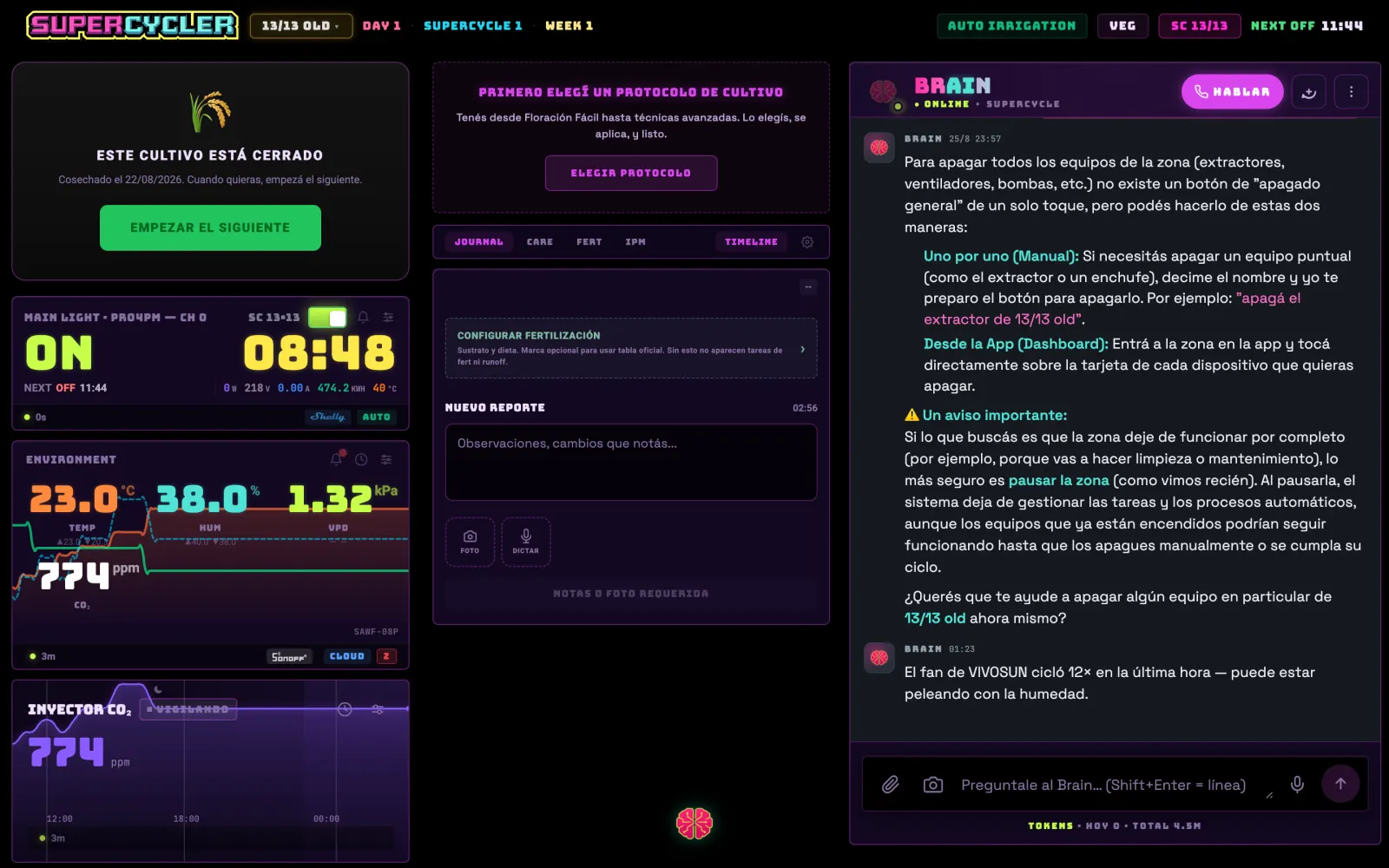
The fixed parts
- Header
- Logo, PRO badge, and the line ZONE · SUPERCYCLE N · WEEK N · DAY N. Tap the zone name to switch tents.
- Floating brain
- The round brain button opens the ☰ menu. A number on top of it means unread Brain messages. The menu doesn't close by tapping outside: you close it with the X.
- Widgets
- Everything else. They appear and disappear depending on the hardware the zone has — the The 22 widgets section tells you exactly what's needed for each one to show up.
- The footer of each card
- A colored dot (green = the data is fresh), the "X ago" since the last reading, the brand logo and the CLOUD tag or the technology icon. Before you believe a number, look at the "X ago".
Reordering and hiding cards
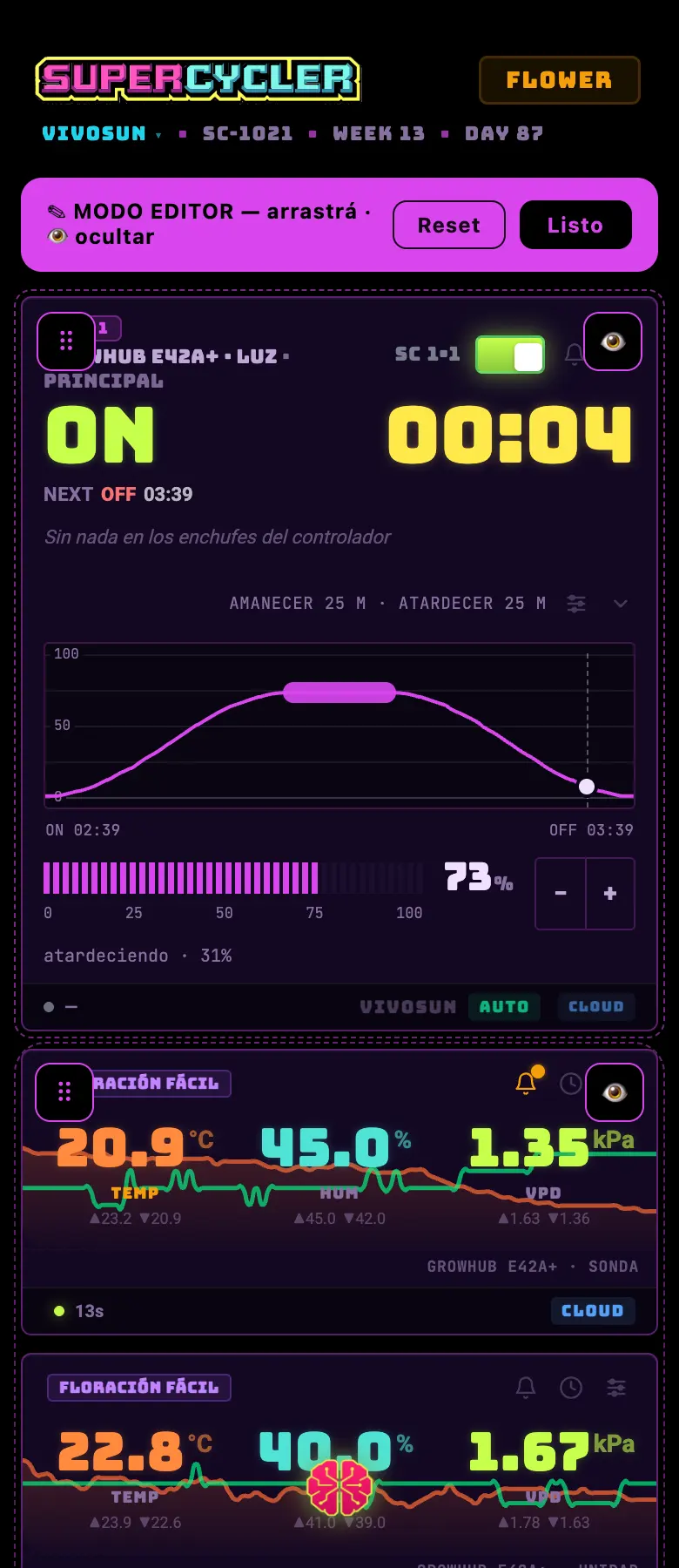
- You get in by holding down the logo in the header for a second.
- Drag the ⠿ handle to change the order; tap the 👁 to hide a card.
- Hidden ones sit as chips at the very bottom: tap them to bring them back.
- The order is saved per zone and per user: you can have irrigation on top in the flowering tent and light on top in the veg one.
- RESET returns to the factory order without hiding anything.
Do this
Put on top what you look at without thinking (light and environment) and send to the bottom what you only check once a week (devices, protocol).
Avoid this
Don't hide the irrigation card to "clean up" the screen. It's the one that warns you when something got blocked, and hidden you won't see it.
How urgent it is
EssentialKnowing how to read each card's footer: green dot and "X ago".
ImportantArranging the dashboard the way you like it.
OptionalA different order per zone.