06 · LightBASIC
The light and its schedule
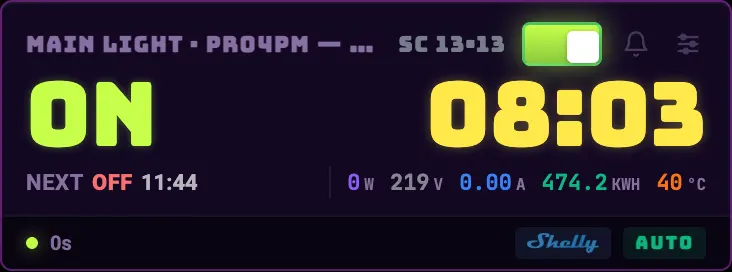
It's the most important card on the dashboard and the first one you'll set up. It shows whether the light is on, how long until the next change, and — if your fixture dims — the day's brightness curve.
What the card shows
- State and countdown
- ON or OFF in big type and how long until it changes. It's the grow's real clock, not the server's time.
- NEXT
- What time the next change is and to what state. If it says MANUAL it's because someone forced it and the schedule is paused.
- Consumption
- Watts, volts, amps, kWh, and plug temperature, on the models that report it. That's where the electricity spend comes from.
- AUTO / MANUAL
- The badge at the bottom says who's in charge right now. If it says MANUAL there's a button to go back to automatic.
- Bell button
- Manual light alarm: it reminds you at the time you set so you go turn it on or off by hand when there's no smart plug.
The schedule
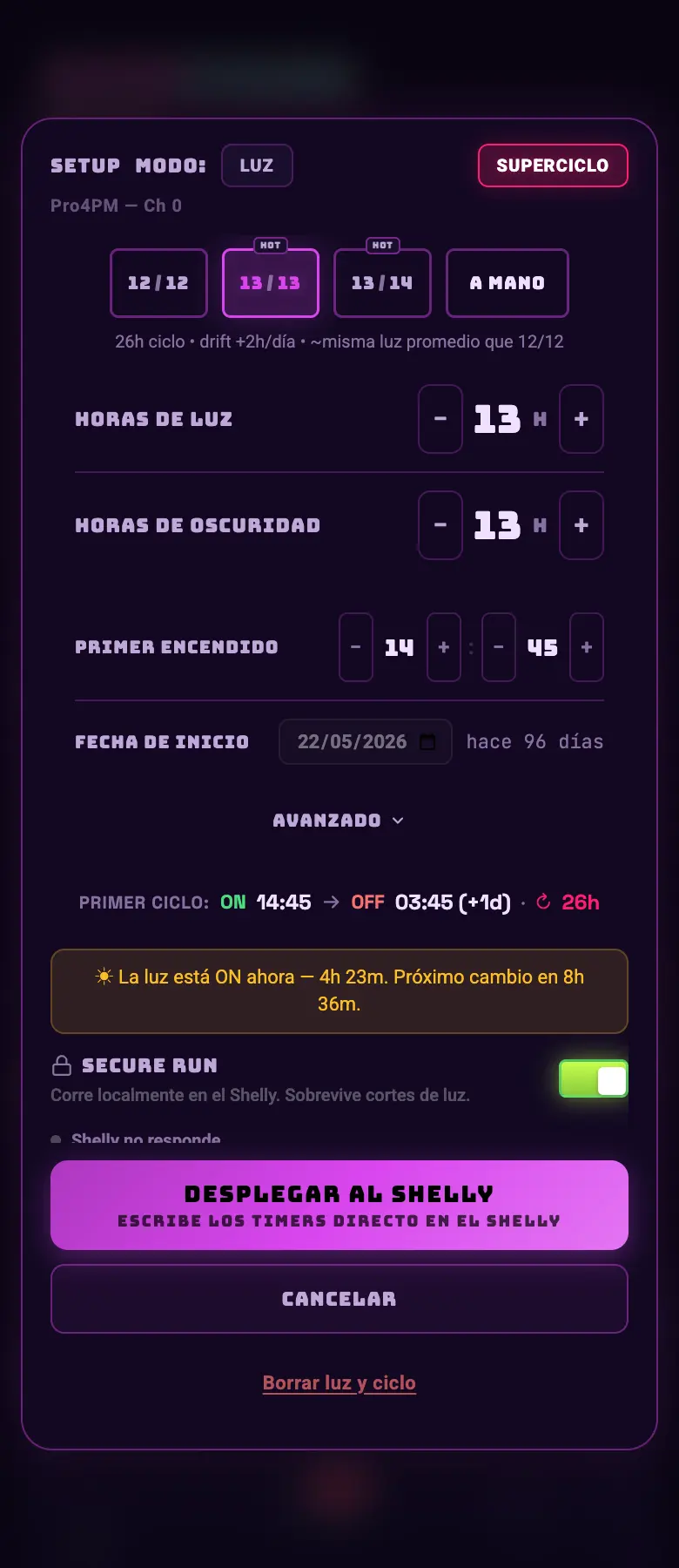
- You set it in hours and minutes of ON and hours and minutes of OFF; you're not tied to a 24 h cycle (see Supercycles).
- The start time anchors the cycle: it's the moment the first ON begins.
- There's a schedule pause (it stays as it is until you resume it) and a temporary override (you force a state for a while and it comes back on its own).
- Every minute the app compares how the light should be with how it actually is on the equipment, and corrects it if they don't match. If your plug rebooted and came back inverted, it fixes itself.
Do this
Set the schedule even if you turn the light on by hand. With the schedule set, the rest of the system (synced irrigation, night VPD, grow day) knows when it's day.
Avoid this
Don't leave the light on override "just for a bit". The override turns off the photoperiod guardian, and forgetting for 12 hours in flowering will revert your plants.
How urgent it is
EssentialSchedule set and the badge on AUTO.
ImportantManual light alarm if you don't have a smart plug.
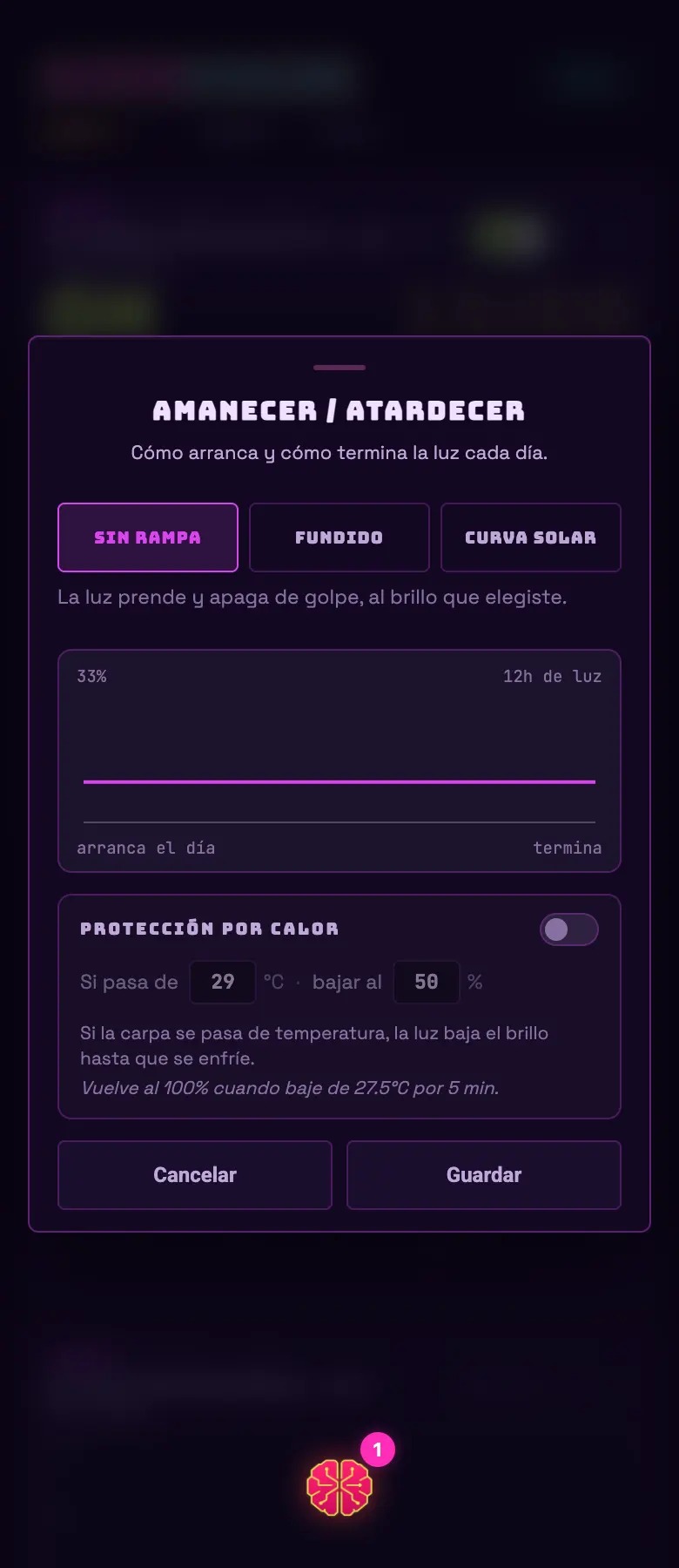
OptionalBrightness curve with a ramp.