21 · TeamINTERMEDIATE
Sharing the zone and working as a team
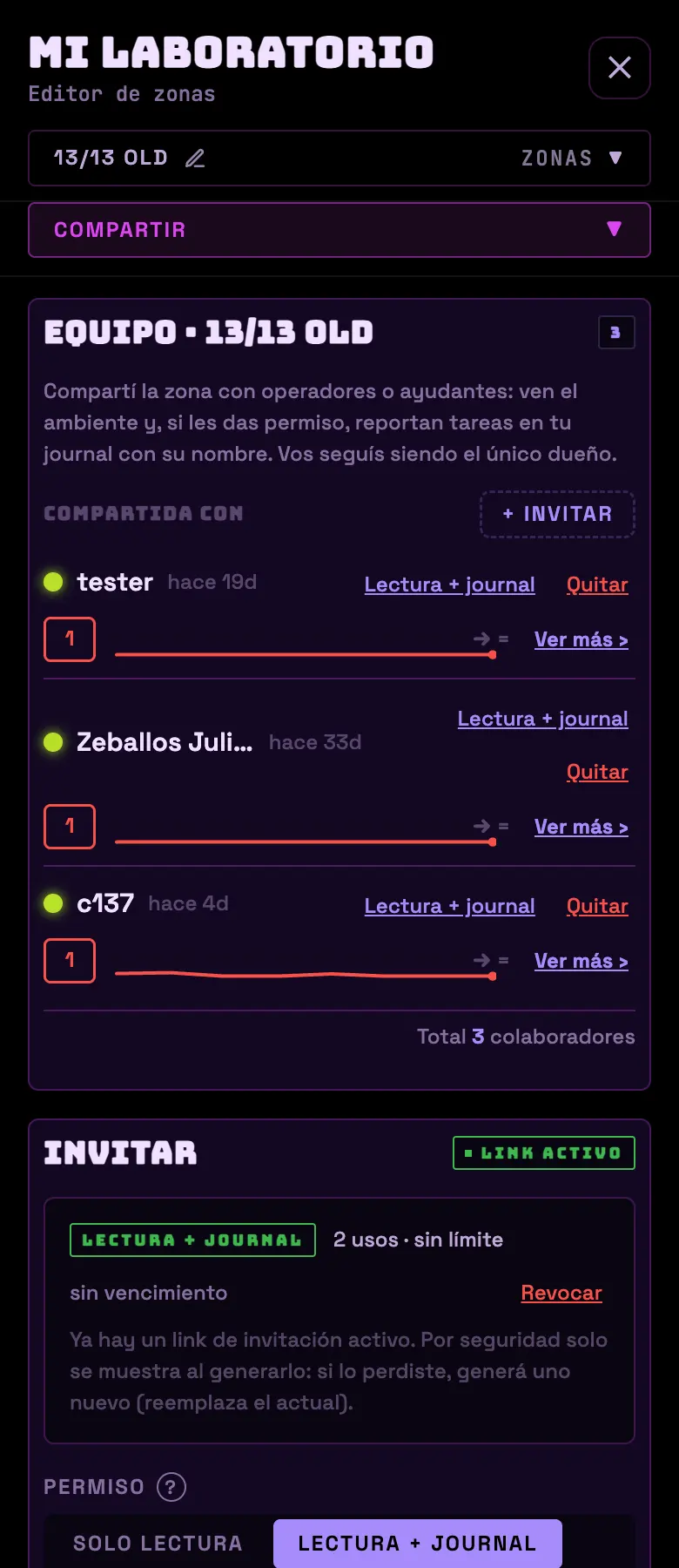
If someone else walks into your room, it's worth having them in the app. Sharing a zone gives you a collaborator who sees the environment, reports tasks under their name and can't reconfigure anything on you. Seeing and operating are different permissions.
The two permissions you can give
| Permission | What they can do |
|---|---|
| Read only | See the zone and the journal. |
| Read + journal | Also reports tasks and posts entries to your journal, under their name. |
| *(Owner)* | Everything. You stay the only owner; the role doesn't transfer. |
The invite link
- You choose permission, expiration (no limit, 7 days or 30 days) and uses (no limit, or from 1 to 20).
- It gives you the URL and a QR code to scan. Save it right there: for security it isn't shown again.
- There's only one active link per zone: generating another one replaces the previous one. Whoever already got in stays in.
- If you revoke the link nobody new gets in, but whoever is already in stays in. To kick someone out, remove them from the list: they stop seeing the zone instantly.
Temporary edit permission
- A collaborator can ask for permission to operate equipment — turn on, turn off, manual watering.
- You see the request and give them 1 hour, 24 hours or 7 days. Or you deny it.
- While it's valid, the collaborator sees an EDITOR chip with the expiration time.
- You revoke it with one tap and they stop operating instantly.
Collaboration score
| Dimension | Weight | What it looks at |
|---|---|---|
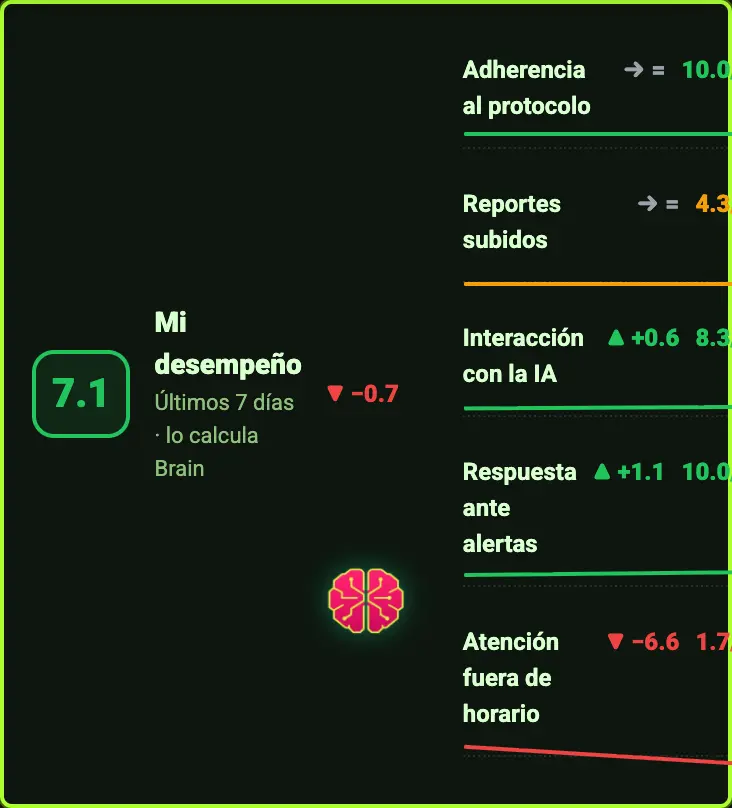
| Whether they follow the protocol | 30 % | Tasks done against tasks skipped. |
| Reports posted | 25 % | Journal entries, with a bonus if they come with a photo or a note. |
| How much they use Brain | 15 % | How much they ask and how often. |
| How fast they attend to an alert | 15 % | How long they take to acknowledge an alert. |
| After-hours attention | 15 % | Night and weekend work. |
- It runs from 1 to 10, is recalculated every day over the last 7, and needs two weeks to show a trend.
- A metric with no data doesn't lower the score: it's left out and its weight is split among the rest. Nobody loses points for not having sensors.
- It's private to the zone owner. It comes with a report written by Brain in HR tone.
Do this
Give "read + journal" to whoever actually walks into the room. The journal stops having gaps and the work gets a name on it.
Avoid this
Don't send the link through an open group. If you have to, cap the uses at the size of the team and set a 7-day expiration.
How urgent it is
EssentialNothing: if you work alone, skip this section.
ImportantThe right permission for each person.
OptionalCollaboration score as a conversation, not as a whip.