04 · ZonesBASIC
Zones: one per physical environment
A zone is an environment with its own light schedule, its own sensors and its own plugs. It's the unit of everything: alerts, the journal, spending and the grow closeout are all per zone.
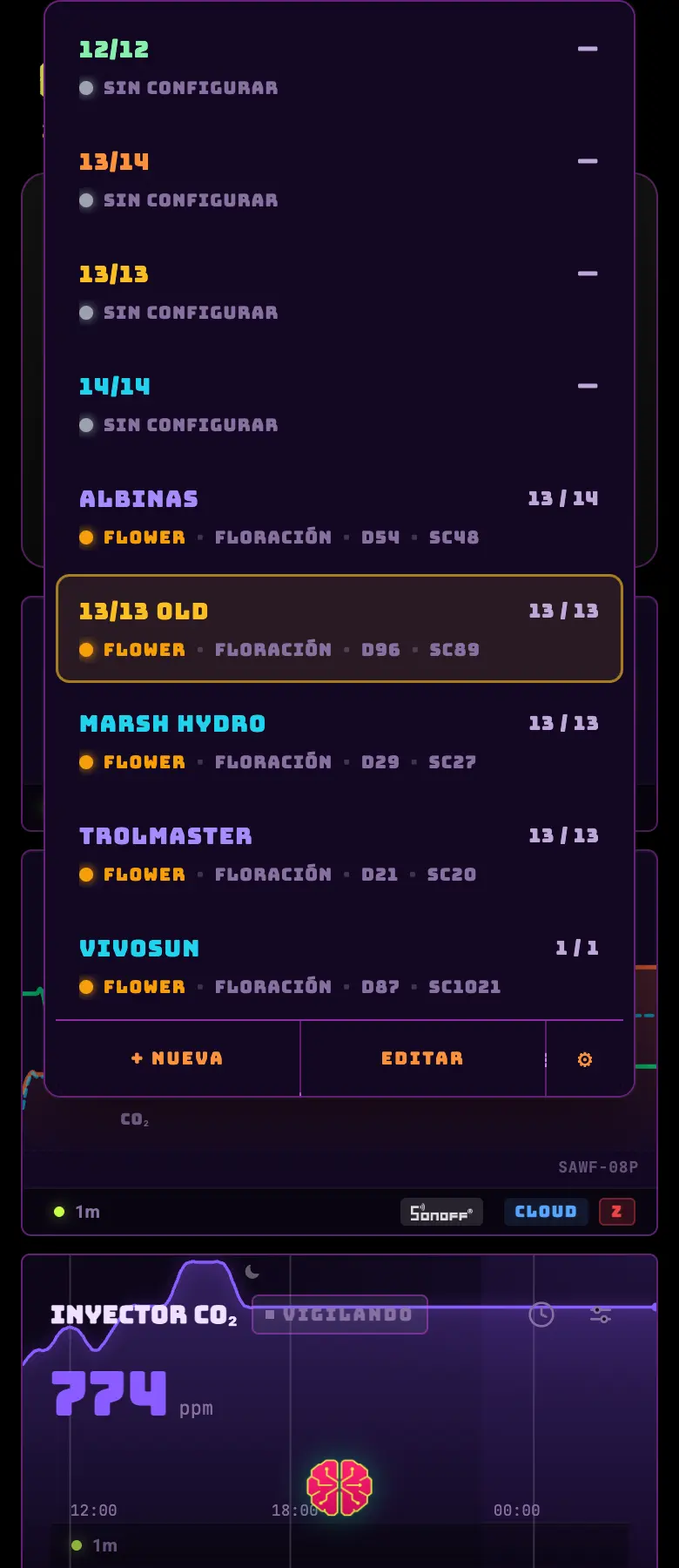
- 01Tap the zone name in the header to open the selector.
- 02That's where all your zones are and, below them, the ones shared with you. A borrowed zone is painted a different color so you don't mistake someone else's tent for your own.
- 03To create, rename or delete a zone: ☰ → My Lab → Overview tab.
- Active zone
- The one you're looking at. The app remembers it and next time opens where you left off.
- Stage
- Vegetative, flowering, drying or curing. Drying and curing are real stages: the environment thresholds change and the light stops driving the phase.
- Paused zone
- You can pause a zone (maintenance, a trip). A banner appears at the top and the automations sit still without you having to take anything apart.
- Closed zone
- When you close the grow, the zone is left with the "this run is over" banner and the button to start the next one.
Do this
Name the zone after the physical environment and not after what's inside it today: "Small tent" survives a change of genetics, "Gorilla Glue" doesn't.
Avoid this
Don't delete a zone to "start over". It takes the history, the spending and the journal with it. To start another grow there's the grow closeout.
How urgent it is
EssentialOne zone per physical environment.
ImportantThe right stage set.
OptionalStable names across grows.