04 · ShellyBASIC
Shelly
The most reliable one for whatever can't fail. It's the only one that, on top of obeying over the internet, knows how to turn itself off: we write a timer into the device itself, so if your house power, your WiFi or our server goes down, the pump turns off anyway. That's what the app calls Secure Run.
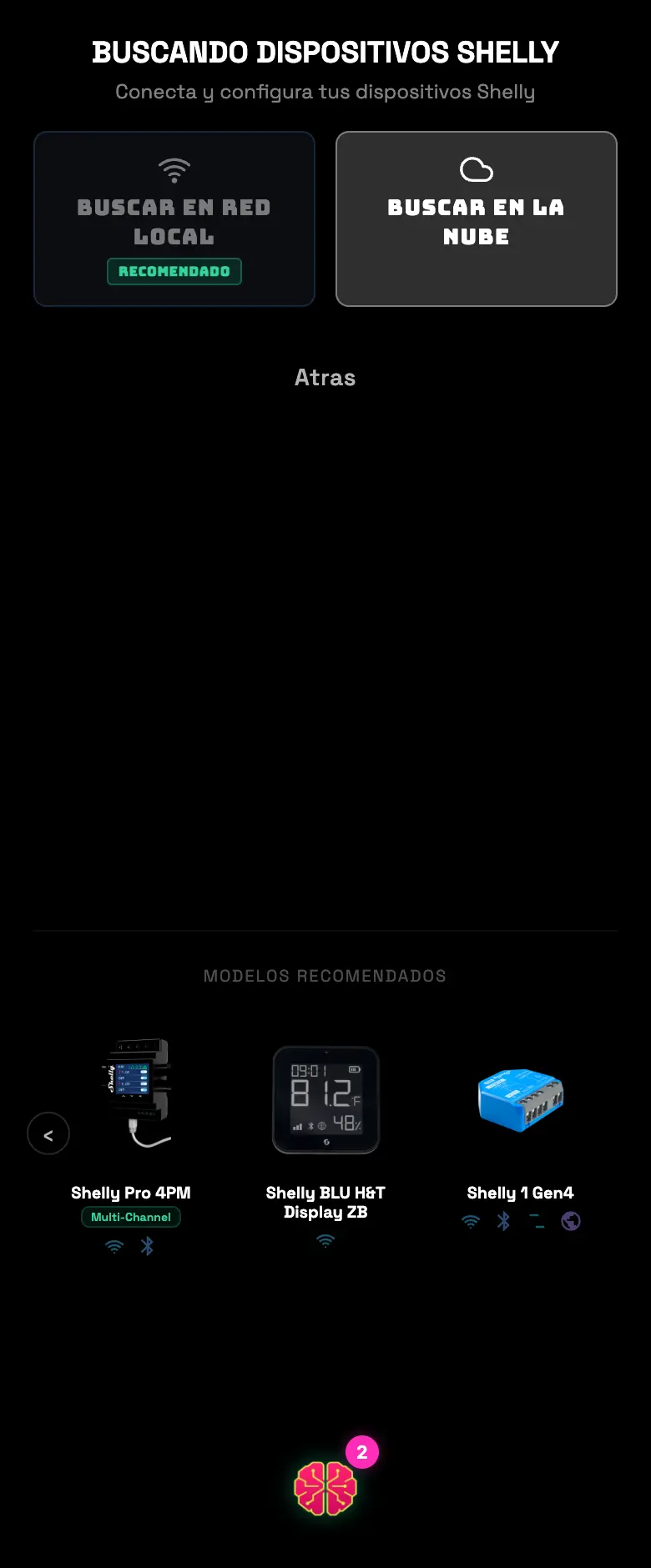
- 01Pick Shelly on the connection screen.
- 02Pick how to look for it: local network (recommended) or the cloud.
- 03Over the local network, the app scans your WiFi and lists the Shellys it finds. If none show up, you can type the device's IP in by hand.
- 04Over the cloud, it asks you for the Server URI and the Auth Key from your Shelly account.
- 05Tap the device, give it a name and pick the role. If it's a light, you enter the schedule right there.
- 06Test it with the on and off button before you finish.
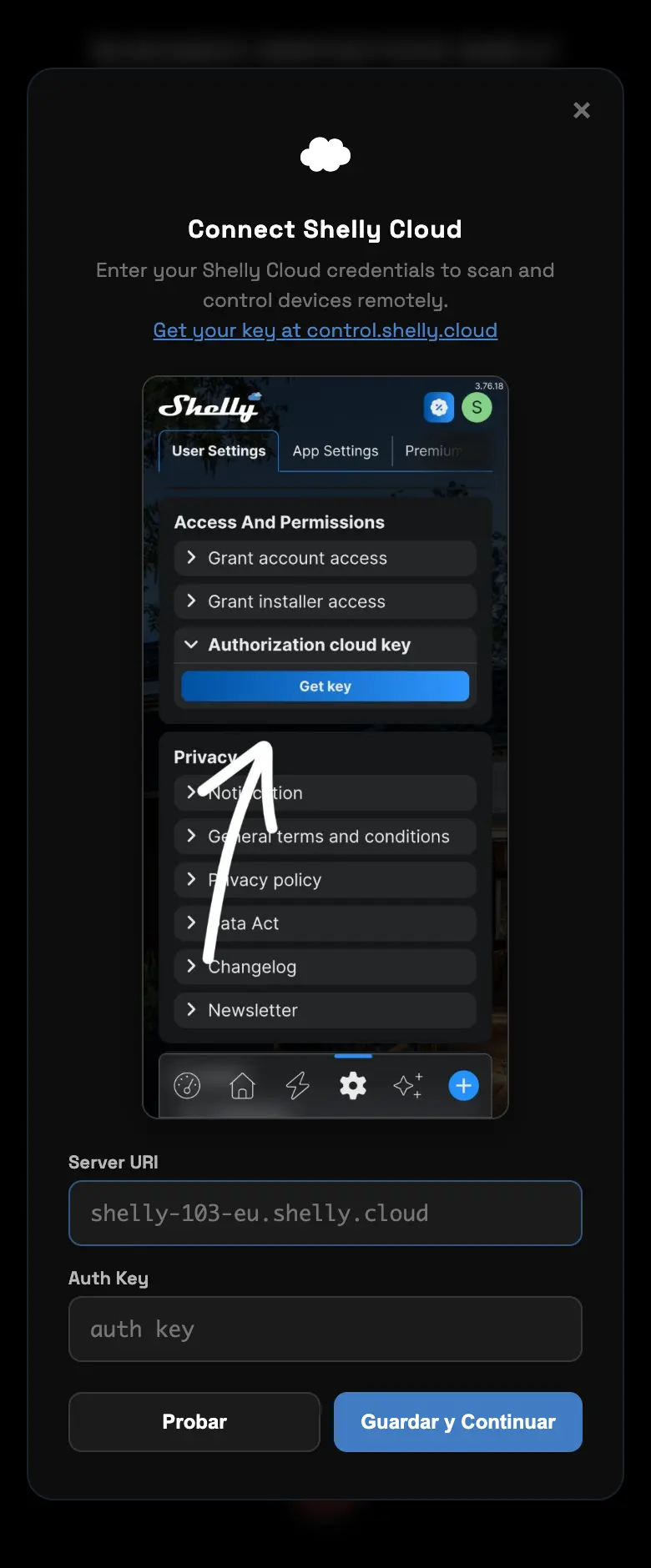
Where do I get the Auth Key
- In the Shelly app: Settings → User Settings → Authorization cloud key.
- The Server URI is right there too — an address like
shelly-103-eu.shelly.cloud. Copy both.
Common errors
| What you see | What happened | What to do |
|---|---|---|
| It finds nothing on the local network | The phone is on a different network than the Shelly, or you're in the browser | Connect the phone to the same WiFi, or type the IP in by hand |
| “This Shelly is an environment sensor” | It's an H&T or HTG3: it measures, it doesn't switch anything | You still add it, but as a sensor — don't look for a light role on it |
| “Already registered” | The same device is on another Supercycler account | Delete it from the old account first |
| You've hit the device limit | The free plan goes up to 4 | Free up one you're not using or wait for the plan upgrade |
Do this
Leave Secure Run on, especially on the pump. It's the difference between an internet outage and a flooded tent.
Avoid this
Don't give an H&T a light role. It's a thermometer: it has no relay to turn on.
How urgent it is
EssentialThe device responds to the test button.
ImportantSecure Run active on the pump and the light.
OptionalThe H&T sensors from the same brand.