06 · SonoffBASIC
Sonoff / eWeLink
The other one that knows how to turn itself off: it lets us write timers into the device itself. It also has the SWV irrigation valve, the only hardware on the whole list designed for water. To add it you sign in with your account, no codes to copy.
- 01Pick Sonoff on the connection screen.
- 02A window opens with the official eWeLink login. Sign in with your username and password — you type the password on their page, we never see it.
- 03Once you accept, the window closes on its own and takes you back to Supercycler with your devices listed.
- 04Tap ASSIGN, pick a zone and a role.
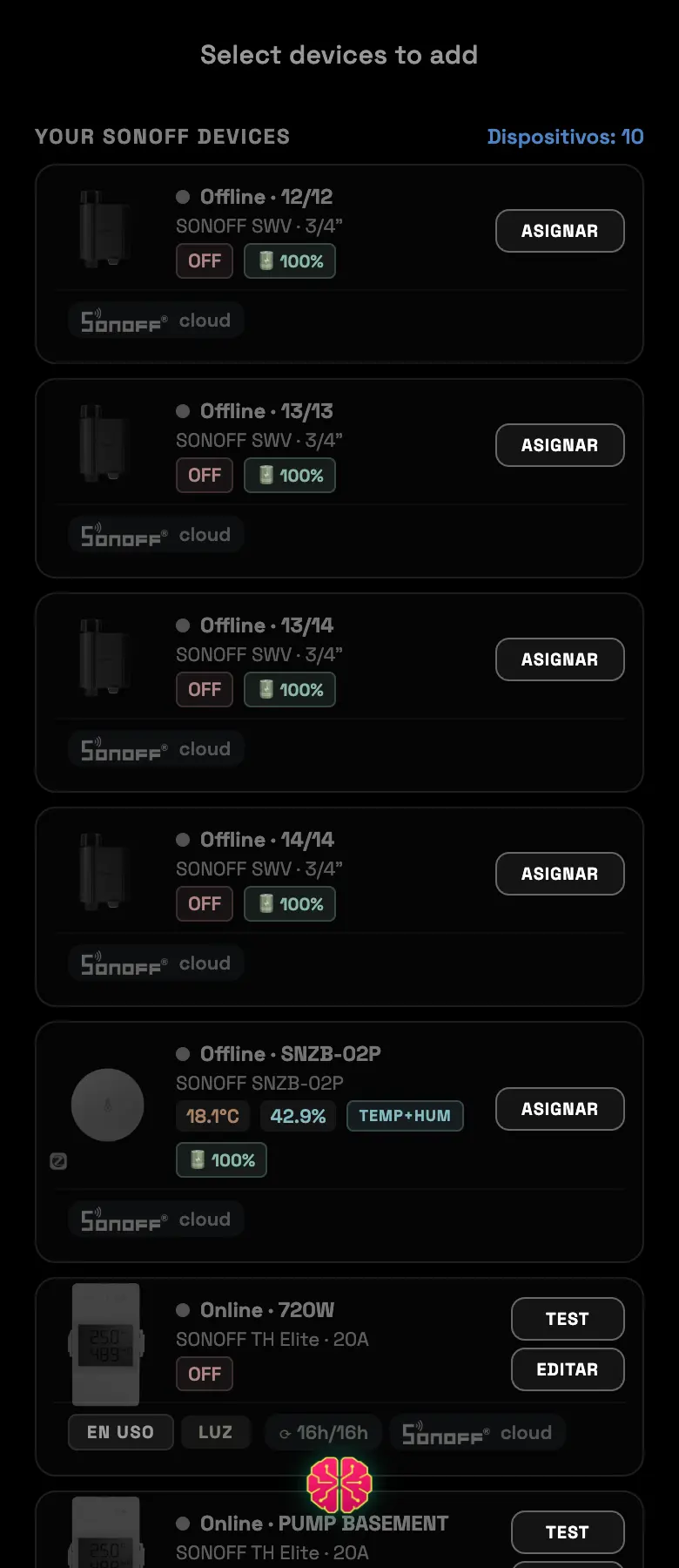
Two things only Sonoff does
- The SWV valve
- It assigns itself as a valve, without asking you for a role. It's hardware built for water, not a plug with a hose next to it.
- Importing the schedule you already had
- If the device already came with a cycle loaded in the eWeLink app, the app shows it to you and offers to import it instead of overwriting it. You can adjust the day of the cycle before accepting.
Common errors
| What you see | What happened | What to do |
|---|---|---|
| The login window doesn't open | The pop-up blocker killed it | Allow pop-ups for the site and try again |
| “Authentication error” | The authorization expired while you were filling it in | Start over from the beginning |
| “No devices found” | The eWeLink account is empty | Check that the devices are in that account and online |
| The card is dimmed | Setups paused because of quota | Wait for it to reset; whatever is already connected keeps running |
Do this
If you're going to water, the SWV valve is the right option. A plug with a pump is a workaround; the valve is irrigation hardware.
Avoid this
Don't delete the device from the eWeLink app after you add it. The connection still goes through the manufacturer's account.
How urgent it is
EssentialAccount connected and devices listed.
ImportantSecure Run active.
OptionalImport the schedule you already had loaded.